More Stable Restaurant Income With Digital Ordering: Where It Really Helps
Restaurant income swings with the weather, the weekday and the season. Digital ordering will not remove that, but it can make revenue leak less, costs easier to predict and your numbers easier to read. An honest look, with BiteTwo as the example.
 BiteTwo TeamNovember 3, 20267 min read
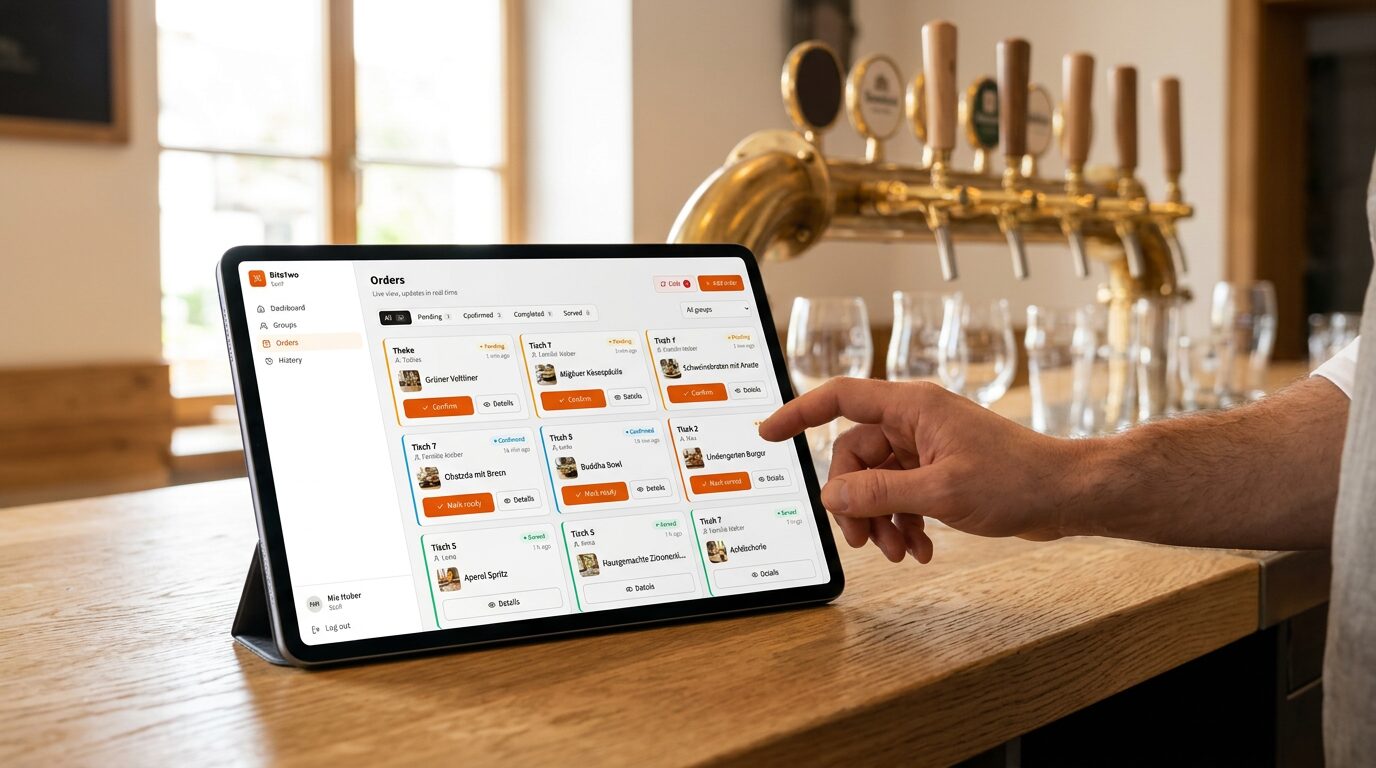
A restaurant's income is never a straight line. A sunny Saturday fills the terrace, a rainy Tuesday leaves half the tables empty, and January is not July. Some of that is simply the business you chose. No ordering system can make guests come on a Tuesday in January.
What a system can do is change what happens to the income you already have. Revenue gets lost in small ways during a busy evening, costs can creep up quietly, and many owners decide by feel because their numbers are hard to read. These three things are within reach, and they are where digital ordering can make an income steadier. This article goes through them honestly, with BiteTwo as the example, and says where the limits are.
1. Orders that are not lost on busy evenings
On a calm evening, service works. On a full one, it is the waiting that costs money: the guest who wanted a second drink but could not catch anyone's eye, the table that gave up on dessert, the group that left because the bill took too long.
None of these is a dramatic loss. Together, they are the part of the income that depends on how stretched the team is that evening.
When guests can order and call the waiter from their own phone, that dependency gets smaller:
- A second round is one tap away. The order appears on the team's screens at once, instead of waiting until someone passes the table.
- Waiter calls do not get lost. A call for the bill or for help shows up in a list with the table and the time, and stays there until someone resolves it.
- The rush is less of a bottleneck. The waiter spends less time walking back and forth to take orders and more time on what only a person can do.
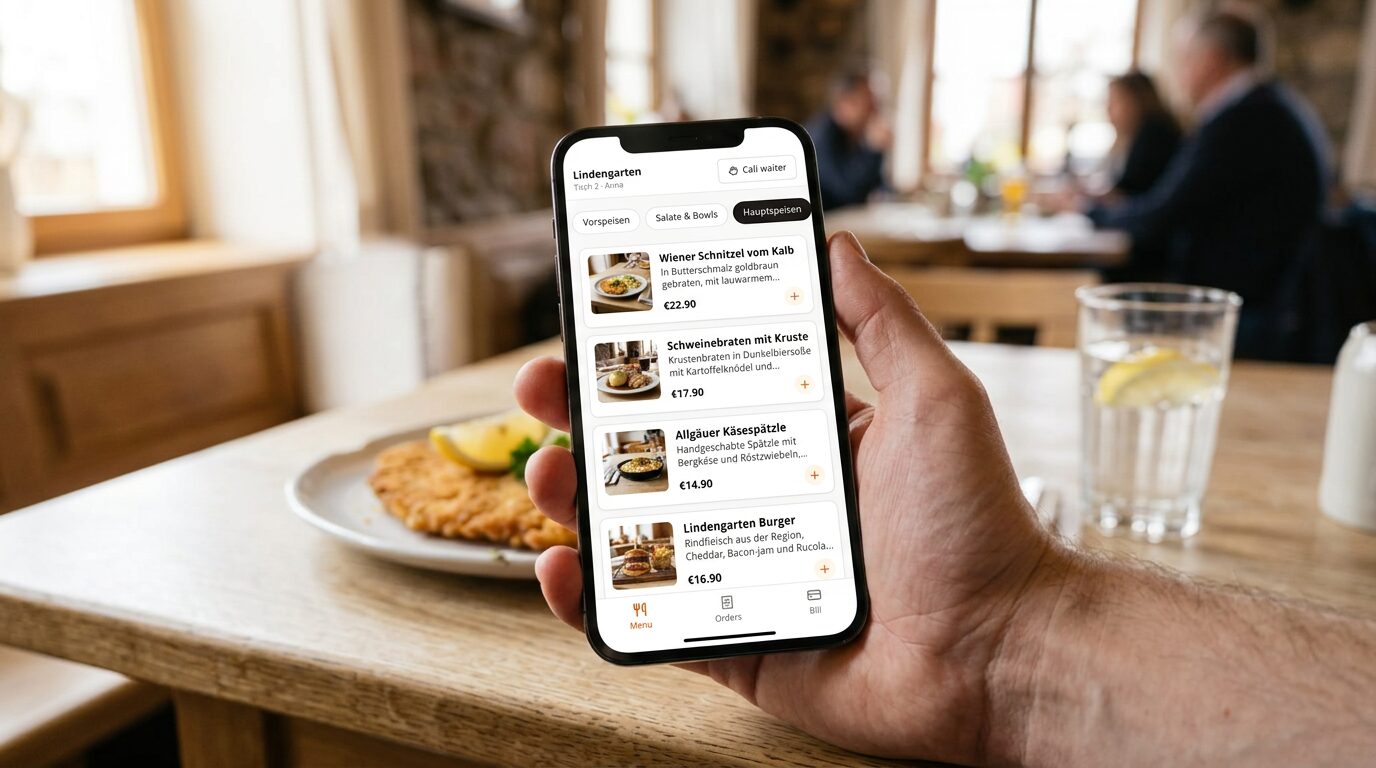 A second drink should not depend on whether the waiter happens to walk past.
We cannot promise a percentage here, and we would be suspicious of anyone who does: it depends on your restaurant, your guests and how many of them use the feature. What you can do is check it yourself. Compare a busy evening with and without it, and look at the orders per hour.
2. Costs you can predict
Income stability is also about what leaves the account. A system that charges per order makes costs rise exactly when you do well, and a monthly fee is due even in the quiet months.
| Cost model | What it does to a quiet month | What it does to a strong month |
|---|---|---|
| Monthly subscription | Fee is still due in full | Fee stays the same |
| Commission per order | Small, because few orders come in | Grows with every order |
| Setup fee or new hardware | Paid once, before you know if it helps | Already paid |
| BiteTwo: no fee, no commission, no hardware | Nothing is due | Every order keeps its full margin |
BiteTwo is free: no monthly fee, no setup fee, no commission and no lock-in, and your team uses phones and tablets they already have. That does not make your restaurant more profitable by itself, but it takes a fixed cost and a variable cost off the list. A seasonal business, a café with weak winter months or an event that runs for one weekend has one less expense to cover in the weeks when income is low.
It also means you can stop at any time without losing an investment. That is a kind of stability too: the decision is easy to reverse.
3. Numbers you can actually read
Many owners know how the month went only when the accountant tells them. Day to day, they judge by feel: "Saturday seemed quiet." That makes it hard to plan staff, buy stock or notice a slow trend before it hurts.
When orders pass through one system, the data is already there:
- Orders per hour today, compared with the same weekday last week, live on the dashboard. You see during service whether tonight is stronger or weaker than usual.
- Revenue of the last 14 days for owners, with refunded orders excluded, so you see the rhythm of your week.
- A CSV export of any period (today, last 7 days, this month, last month, or your own time frame) with date, time, item, VAT rate, net and gross amounts. Hand it to your accountant or open it in a spreadsheet.
The live order list is also the data for the dashboard.
With a few weeks of data you can answer questions that decide how stable your income is:
- Which weekdays are reliably strong, and which are always weak?
- When does the evening rush start, and does the team match it?
- Which dishes make up most of your orders, and which ones hardly move?
None of this brings in a single extra euro. It lets you make staffing and purchasing decisions from numbers instead of memory, and that is what keeps a bad week from turning into a bad month.
4. Small things that protect the margin
A few features work quietly in the background and keep orders closer to what you intended to sell:
- Prices are set on the server. The price of an order is calculated from your menu, never taken from the guest's phone, so what you list is what is charged.
- Variations and add-ons. Sizes (0.3 l or 0.5 l) and extras (extra cheese, a side) are offered at the moment of ordering, with their surcharge, so they are not forgotten.
- Sold out means sold out. Mark a dish as unavailable and guests stop seeing it. The kitchen is not told about orders it cannot fulfil, and the guest is not disappointed after the wait.
- Menu hours. A lunch menu can be limited to weekdays and a time window, so guests only order it while it is available.
- A personal code per guest. Orders belong to a visit that staff opened, so nobody orders from a photographed table code, and every order has a person behind it.
What digital ordering does not do
To keep this honest:
- It does not create guests. Marketing, location and your reviews do that. (Our 5 tips for better restaurant reviews are a good start.)
- It does not help if guests do not use it. In some restaurants, many will; in others, only a few. That is why staff can enter every order themselves in the same system, and nobody is forced to scan.
- It is not a cash register. BiteTwo does not issue fiscal receipts (TSE) and does not process payments: guests pay the waiter, in cash or with your own card reader.
- It does not replace good service. It only frees up time for it.
How to find out if it works for you
Because trying costs nothing, you can measure instead of guess:
- Pick a comparable evening. For example, the next two Fridays.
- Use BiteTwo on one of them, with staff entering orders and guests free to scan.
- Compare orders per hour, the length of the rush and how the team felt afterwards.
- Keep it or stop. There is no lock-in and no notice period.
If it makes your evenings smoother and your numbers clearer, you keep it. If it does not, you have lost an hour of setup and no money.
Conclusion
Digital ordering does not make income steady by itself. What it does is reduce the avoidable swings: fewer orders lost when the team is stretched, no fees that rise and fall with your sales, and numbers that show you what is happening before the month ends. For a restaurant with little room for surprises, that is worth testing, especially when the test is free.
Start for free or book a demo if you would like to see it first.