QR Code Ordering in Restaurants: How BiteTwo Works
How guests order with BiteTwo by QR code, what the system costs, how to introduce it step by step, and what it deliberately does not do.
 BiteTwo TeamOctober 29, 20266 min read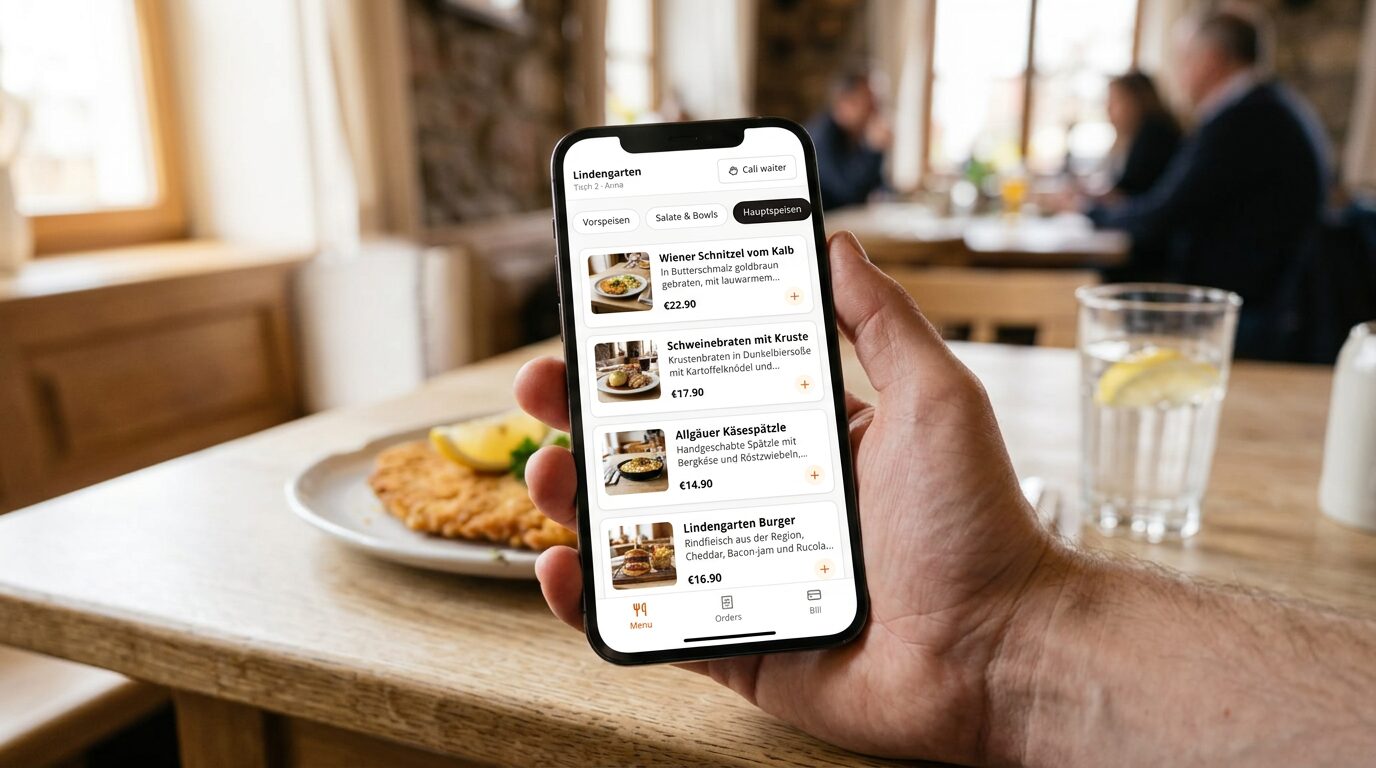
Staff shortages, rising costs, packed evenings: many restaurant owners wonder whether guests should order from their own phones. But most systems for that come with a monthly fee, a commission on every order or their own hardware. And often it is all or nothing.
BiteTwo is a free QR code ordering system for restaurants, cafés, bars and events. Guests order and call the waiter from their own smartphone, and the team manages tables, orders and payments in real time. This article explains how that works in everyday service, what it costs and where its limits are.
The key facts
- Cost: no monthly fee, no setup fee, no commission per order, no contract.
- Guests: need no app and no account. They order in the browser.
- Hardware: none. Your team uses the phones, tablets or computers you already have.
- Introduction: step by step, because staff can also take every order themselves.
- Payment: optionally online through Mollie, straight into your own account. Cash and your card terminal keep working.
- Data protection: GDPR compliant, servers in Germany, developed by MSL-Digital KG in Zwiesel.
How a visit works
- Open a session: the waiter adds the guest to a table, the bar or an event with one tap. BiteTwo immediately shows a QR code and an 8-character code.
- Scan and order: the guest scans the code with the phone camera. The menu opens in the browser, with photos, descriptions, prices and current availability. One tap, and the order is placed.
- Real time for everyone: the order appears instantly on every device of the team. On their phone, the guest sees whether it has been received, is being prepared or has been served.
- Call the waiter and pay: with one button the guest calls the waiter or says "I want to pay". If the restaurant has turned on online payments, they pay right in the browser, with a tip if they like.
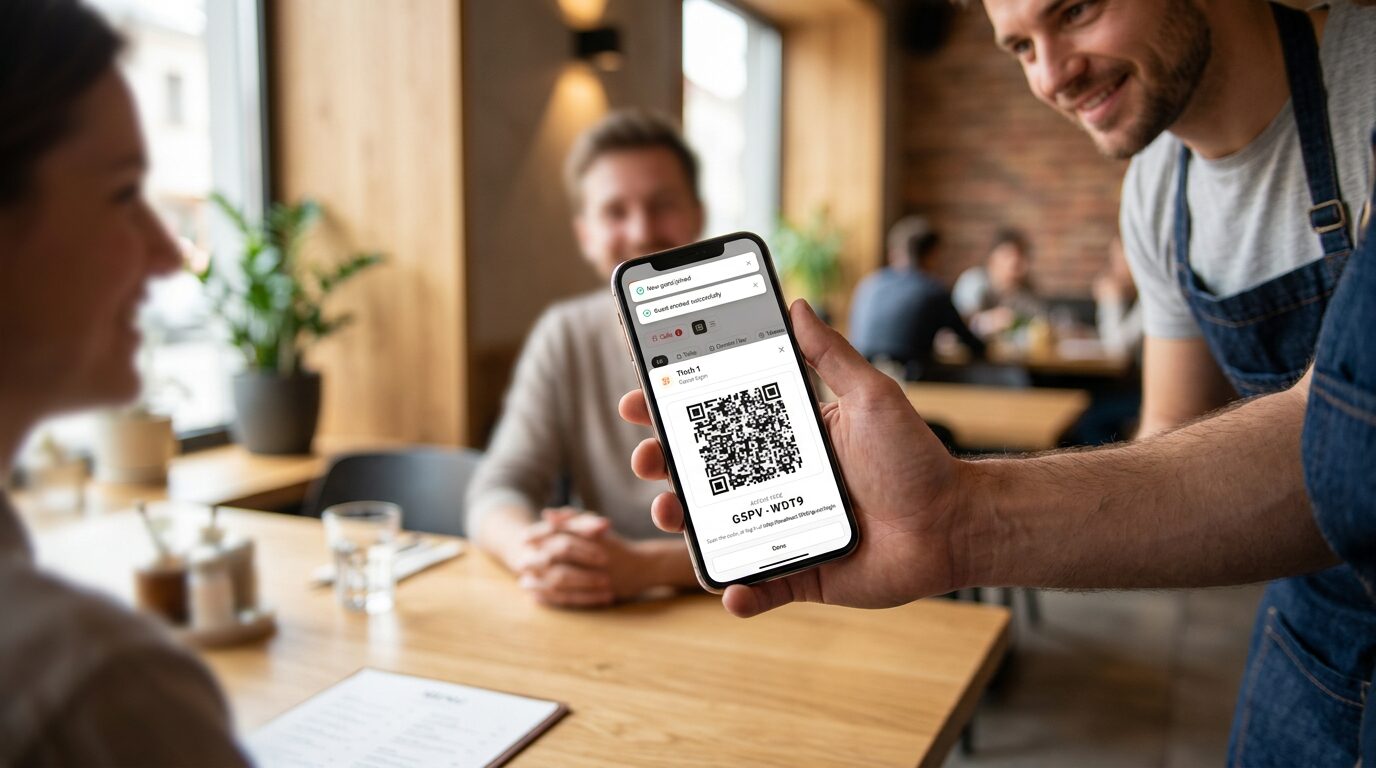 Every guest gets their own code: the waiter shows it on their phone, the guest scans it.
Five reasons for BiteTwo
1. No cost risk
Because there is no monthly fee and no commission, you can try BiteTwo on a normal evening in real service, without a budget decision. Every order keeps its full margin.
2. Step by step instead of all or nothing
Staff can enter every order themselves in the same system. Guests who like to order by phone do so; everyone else orders from the waiter as usual. You can start with one table or one evening. Nobody is forced to scan, regulars included.
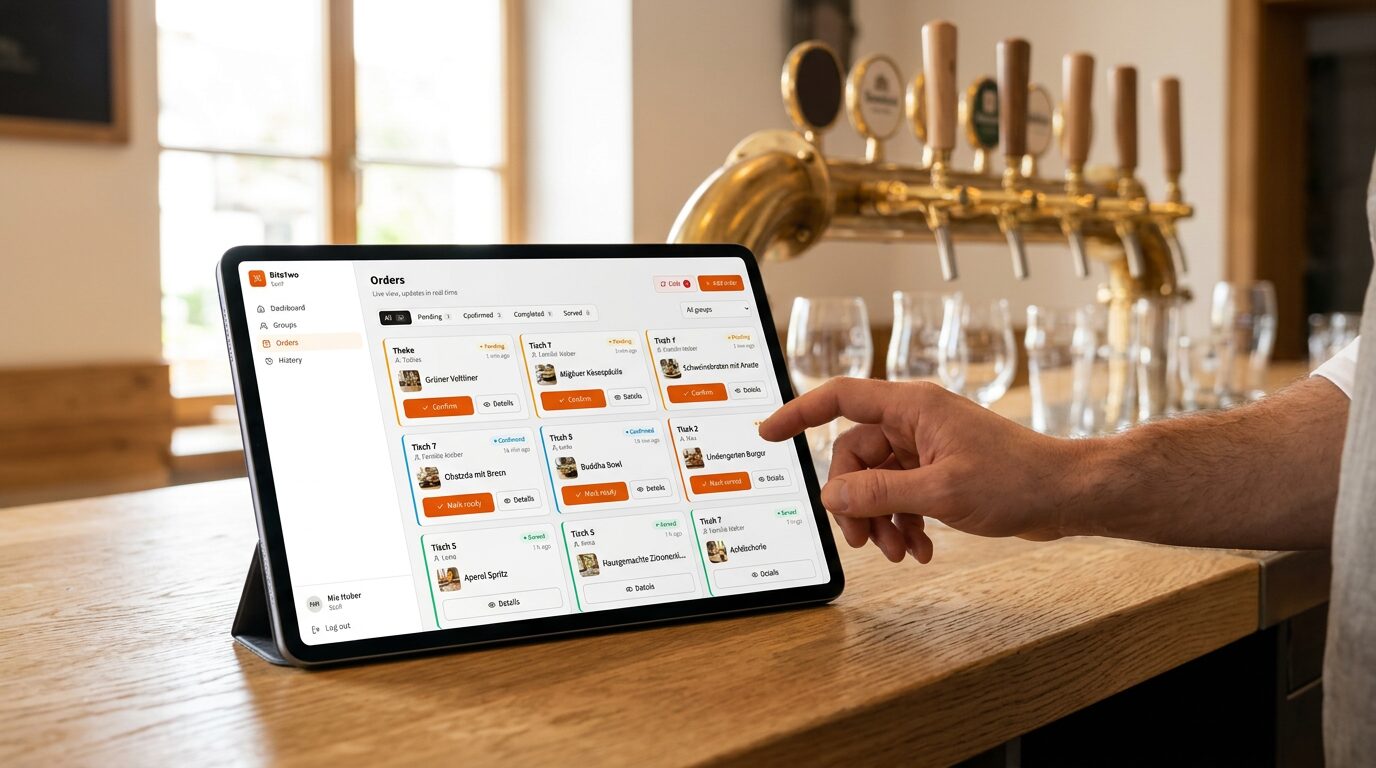 Orders from guests and from staff land in the same live list, on any tablet, phone or computer.
3. Personal codes instead of stickers on the table
Many systems stick a fixed QR code on the table. Anyone can photograph it and "order" from home later. With BiteTwo, every guest gets their own code, which expires after the visit. That prevents prank orders, and every order clearly belongs to one guest. So everyone has their own bill. Anyone who wants to treat a friend moves their open orders over to them, and the friend has to accept.
4. Payments without a terminal and without a platform fee
Online payments run through your own Mollie account. The money goes straight to you, and BiteTwo takes no cut. You choose between paying at the end and prepayment. With prepayment, an order only reaches the kitchen once it is paid. That is ideal for events, food trucks and takeaway. Full and partial refunds are possible.
5. Not just for tables
Instead of only tables, BiteTwo knows groups: the bar, the terrace, rooms, takeaway or a one-off event such as a wedding or a club party. Each group can have its own payment mode.
Ready in 10 minutes
- Register (2 minutes): create an account and enter your restaurant's name. Default categories are already set up.
- Create the menu (5 minutes): dishes and drinks with photos, prices, descriptions and the VAT rate per item.
- Invite your team (3 minutes): invite staff by email. They sign in with a one-time code or a password.
Then you open the first guest session and take the first order.
What BiteTwo deliberately does not do
So you can plan realistically:
- No cash register: BiteTwo does not issue fiscal receipts (TSE). It works next to your existing register, not instead of it.
- No kitchen printer: orders appear on the team's screens, not on paper.
- No card terminal: online payments run through Mollie. Cash and your own card reader stay outside the system.
Frequently asked questions
What does BiteTwo cost?
All features are currently free: no monthly fee, no setup fee, no commission per order, no contract. If you use online payments, Mollie charges its usual transaction fees directly; BiteTwo adds nothing.
Do guests need an app?
No. A smartphone with a camera and a browser is enough. Guests do not register; giving a name is optional.
Does BiteTwo work if guests do not want to scan?
Yes. Staff then simply take the orders in the system themselves. So you can use BiteTwo without any guest scanning at all and offer ordering by phone on top.
Which businesses is BiteTwo for?
Restaurants, cafés, bars and beer gardens, but also takeaway, food trucks, festivals, weddings and other events.
Where is the data stored?
On servers in Germany. BiteTwo is GDPR compliant. Guests do not have to give any personal data to order.
Conclusion
BiteTwo removes the usual hurdles of QR code ordering: no costs, no app, no hardware and no need to change everything at once. Try it on one evening and decide then.