Too Few Staff for Your Event? QR Code Ordering as a Fallback for Beer Tents, Carnival and School Balls
At a one-off event the crowd is never the size you planned and the team is always too small. Learn how to keep taking orders the traditional way while it works, and let guests order from their phone when it gets too busy, with one list for the whole team.
 BiteTwo TeamNovember 25, 20267 min read
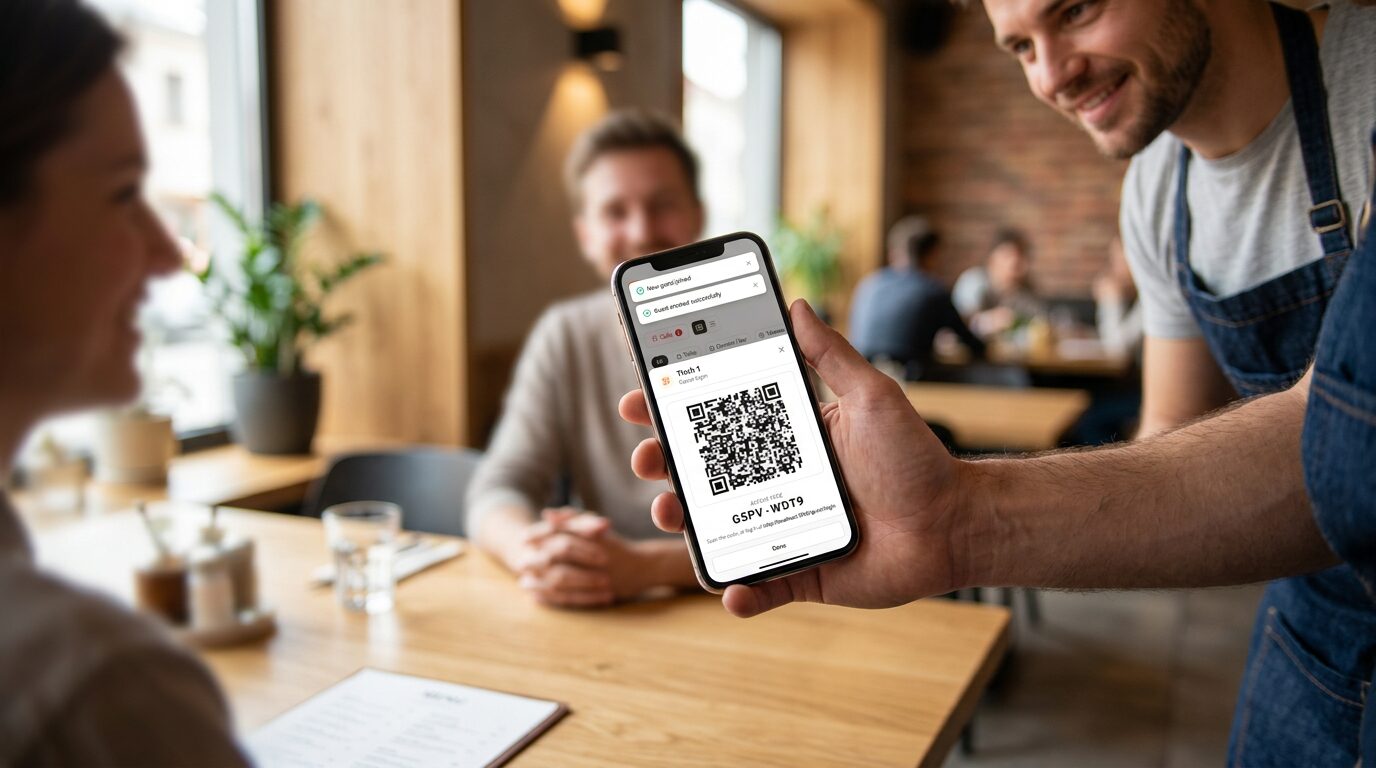
A school ball, a carnival party in the gym, a marquee at the village fair, a club night with a charity raffle: you never know how many people will come, and you never have enough helpers. The first hour is calm and everybody gets a friendly "What can I bring you?". Then the dance floor empties at the same moment, a hundred people sit down, and the orders that nobody took become the complaints of the next morning.
The short answer
Do not choose between the traditional way and ordering by phone. Use both. While it is calm, your team walks to the tables, asks and enters the order in BiteTwo. When it gets tough, staff hand out a code at the table and guests order for themselves, while the team carries drinks and food instead of writing orders on beer mats. All orders, from the waiter and from the guests, land in the same live list. BiteTwo is free, with no setup fee and no minimum term, so it costs nothing to have it ready as a safety net.
Why do events lose orders exactly when they are busiest?
At a one-off event the problems come together:
- The crowd comes in waves. Between the speech and the buffet, after the band's break, at the end of a match: demand arrives in a few minutes, not spread over the evening.
- The team is small and mixed. Members of the club, parents, friends of the host. Nobody has a routine, and nobody remembers twelve orders at a long bench.
- Paper does not scale. Every order written on a pad has to be carried to the bar, read, and sometimes guessed.
- A missed order is a lost sale and a bad mood. The guest who waited 40 minutes buys no second round.
QR code ordering as the only way does not solve this either: not everybody wants to use a phone, and at a ball a waiter who talks to the guests is part of the evening. A system that supports both operation modes and can transition between them is the best of both.
How does the fallback work with BiteTwo?
| Situation | What the team does | Where the order lands |
|---|---|---|
| Calm, few guests | Ask at the table, enter the order for the guest in BiteTwo, or call it over to the bar | The live list of orders |
| Rush at the bar | Show a guest their QR code and 8-character code, the guest orders the next round on their phone | The same list |
| Guest prefers to talk to a person | The waiter enters the order, like in the first row | The same list |
| Guest needs help | Guest presses "call the waiter" in the app | The list of waiter calls |
In practice:
- Before the event: create the account, add a short menu and invite your helpers by email. For the menu an AI assistant such as ChatGPT or Claude can read a photo of the drinks list, and you import the result after checking a preview. Create a group for the event or one per area, for example "Tent", "Bar", "Terrace".
- During the calm: the team works as usual and enters orders from the table. Even then the bar knows at once what is coming, instead of getting a stack of notes.
- When it gets tough: a staff member adds a guest with one tap and shows the QR code. The guest scans it and sees the menu in the phone's browser: no app, no account. It takes a few seconds, less than writing down eight drinks, and the next rounds need no waiter at all.
- Serving: orders appear in real time. Staff move each order from received to ready to served with one tap, and guests see the status on their phone.
- Paying: guests pay your staff as usual, in cash or with your own card reader. BiteTwo does not process payments.
The switch between the two modes is seamless, because every guest has an account in the background, also when staff enter all their orders. At any moment staff can call up the guest's code again and show it, and the guest gets access to their own account, with the orders so far and their status. A table served by hand until 9 pm can take over ordering from 9:15, with nothing lost and nothing to enter again.
One tap adds a guest and shows the code. From then on the guest orders alone, and the waiter walks on.
How should a small team organise itself?
The software does not replace a plan. These habits help most:
- Split the screens. A tablet at the bar shows only drinks, a tablet in the kitchen or at the grill shows only food. A filter combines categories and groups, it is saved on the account, and the alerts (sound and notification) follow it, so the bar does not ring for sausages.
- One person at the door, one at the list. Whoever has the fewest tasks adds guests and hands out codes in the rush. Give every table one confident phone user and start with them.
- Decide the switch point. Agree beforehand: when more than a handful of orders wait at the bar, we hand out codes. A simple rule beats a debate at 10 pm.
- Use groups for areas. A group is a table, the bar, a room or an event. A marquee with a bar area and a seating area becomes two or three groups, so the team sees where a guest sits.
- Set the session length. A guest code is valid for 4 hours by default, and you can choose 1 to 12 hours, so codes last from the first drink to the last dance. End the visit when guests leave.
- Try it once. Place three test orders with your helpers a few days before. Setup takes about 10 minutes.
What if guests do not stay in their seat?
At an event nobody sits still. People move to the dance floor, to the bar, to friends at another bench, and a table at 8 pm is a different group of people than at 10 pm. A paper pad tied to a table number cannot follow them. A guest in BiteTwo is tied to a person, not to a seat: the guest keeps the same code wherever they go and orders from wherever they stand. If someone settles at another table or area for the rest of the night, staff move the guest to that group with a tap, and the order arrives at the right place.
The guest can also enter a name when signing in. It is optional, but guests tend to like it: the order shows up with "Anna" on it instead of a table number, and the team can call out "Anna, your two beers!" across a full tent. It makes ordering feel personal even when the waiter is not at the table, and that is worth a lot at a party.
Which events is this made for?
For everything that happens once or a few times a year and has more guests than hands: a beer tent or marquee at a village fair, a school leaving ball or prom, a carnival or costume party, a sports club anniversary, a charity gala, a pub quiz or bingo night, a company summer party, a wine festival, a food stand with seating. The event does not need tables with numbers. A bench, a bar or the whole hall can be a group.
Where are the limits?
- Staff create every guest code. That keeps prank orders out, but it means a guest cannot just walk up and scan a code on the wall. In a rush the code is handed out at the table, and it is worth doing it where the queue is longest.
- BiteTwo is not a cash register. It does not issue fiscal receipts (TSE) and does not process payments. You still need your usual way to take money.
- You need internet. Check the mobile signal or the Wi-Fi in the tent or the hall before the day, but BiteTwo requires a very limited bandwidth, so a slow connection will be fine.
Frequently asked questions
Can we use BiteTwo only when it gets busy?
Yes. Many teams start by entering orders themselves and hand out codes only for the rush. Nothing changes for guests who prefer to talk to the waiter.
Do guests need an app or an account?
No. They scan the QR code or type the 8-character code, and the menu opens in the phone's browser. Guests can enther their name. This makes the service personal.
What does it cost for a single event?
All features are free today: no monthly fee, no setup fee, no commission per order and no lock-in. There is nothing to cancel after the event.
What if the internet fails during the event?
BiteTwo is a web app and needs a connection, for the team and for the guests. Test the signal at the venue and keep your paper pad as the backup of the backup.
Can the host or the club get a list of everything that was ordered?
Yes. Every order is tied to a guest and a group, and you can export all orders of the day as a CSV file with gross, VAT and net amounts.
Conclusion
You do not need to turn an event into a self-service evening to survive the rush. Keep the friendly way of ordering for the calm hours, and keep a second way ready for the moments when the team cannot be everywhere. With a short menu, a tablet at the bar and a helper who knows where the codes come from, the missed orders become served rounds.
Start for free and set up your event, or book a demo if you would like to see it first.