Ordering System for Restaurants: What BiteTwo Does and What It Doesn't
An ordering system for restaurants has to work in the middle of a full service. This article shows what BiteTwo does for guests, staff and owners.
 BiteTwo TeamNovember 14, 20269 min read
On a busy evening, the problem is rarely a lack of will. It is a lack of time. The team is short-staffed, and there are many trips between table, bar and kitchen that each take only a few minutes and still add up to a long wait for the guests. An ordering system is meant to shorten exactly these trips. Many solutions, however, bring new costs, require extra devices or expect the business to switch over completely from one day to the next.
This article introduces BiteTwo as an ordering system for restaurants. You will read how to judge a good system, how your guests order with it, what your team sees during service, and what you set up and maintain as the owner. That includes an honest look at what BiteTwo is not, so you can judge for yourself whether it fits your business.
What a restaurant ordering system should deliver
Anyone comparing ordering systems for restaurants soon notices that the basic idea is similar everywhere. What counts is how much of it actually arrives in the middle of service. A good system should meet six requirements, and they make a useful checklist for every offer you look at:
- Ordering without waiting. Guests place their order as soon as they have decided, instead of waving for the waiter.
- Everything live at a glance. Every order reaches the team the moment it comes in, with no slips of paper and no shouting across the room.
- Kitchen and bar kept apart. Food and drinks can be told apart, so the bar tablet does not ring for the food.
- No app for guests. Anyone who wants to order needs neither a download nor an account.
- Step-by-step introduction. Staff can take every order themselves, even when no guest is using the QR code yet.
- Predictable costs. Base fee, commission, hardware and contract term are clear before you decide.
BiteTwo is built around these six points. The next sections show what that looks like day to day, starting with your guests' point of view.
How BiteTwo works for your guests
A guest sits down at the table, and staff open their visit in one tap. This creates a personal QR code, which the waiter shows. The guest scans it with their phone and has the menu in the browser right away. Guests who prefer not to scan type in the 8-character code instead, which the waiter gives them as well. Nobody has to install an app, nobody needs an account, and giving a name is optional too. The code is valid for this one visit only and expires after four hours or when the visit ends.
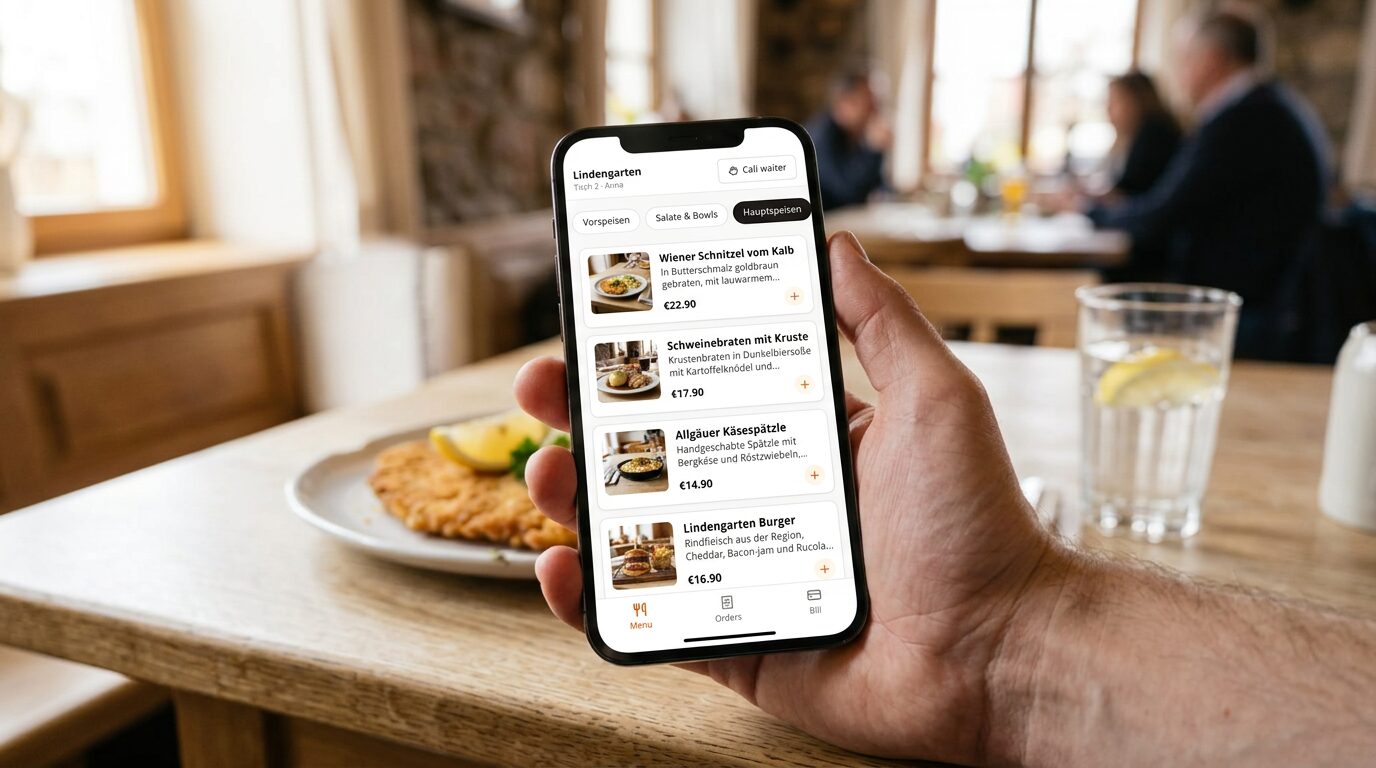 Guests order in the browser of their own phone, without an app or an account.
The menu is organised by category and shows prices, with a "from" price for dishes that come in variations. Sold-out dishes are marked, and categories with fixed hours, such as a lunch menu, appear only while they apply. Once the guest has decided, they choose the variation, add extras with their surcharge and, if needed, write a note for the kitchen, for example "no onions". The price changes immediately with the selection and is always calculated by the server. Guests who have to watch out for allergies or follow a particular diet set a filter, and dishes and extras that do not fit disappear from the list. A notice still reminds them to ask the staff as well if they have allergies.
After sending, the guest does not have to ask how things stand, because every order shows its status live: received, in the kitchen, ready, served. If guests need something, they press a button and call the waiter. If they want to pay, they request the bill the same way. The bill shows every item with the VAT per rate, and when several people sit at the table, a guest can hand unpaid orders to another guest, who has to accept. The interface comes in seven languages, and every guest chooses their own, which helps especially in places with many tourists. When staff end the visit, ordering stops, but the orders so far stay visible.
What your team sees during service
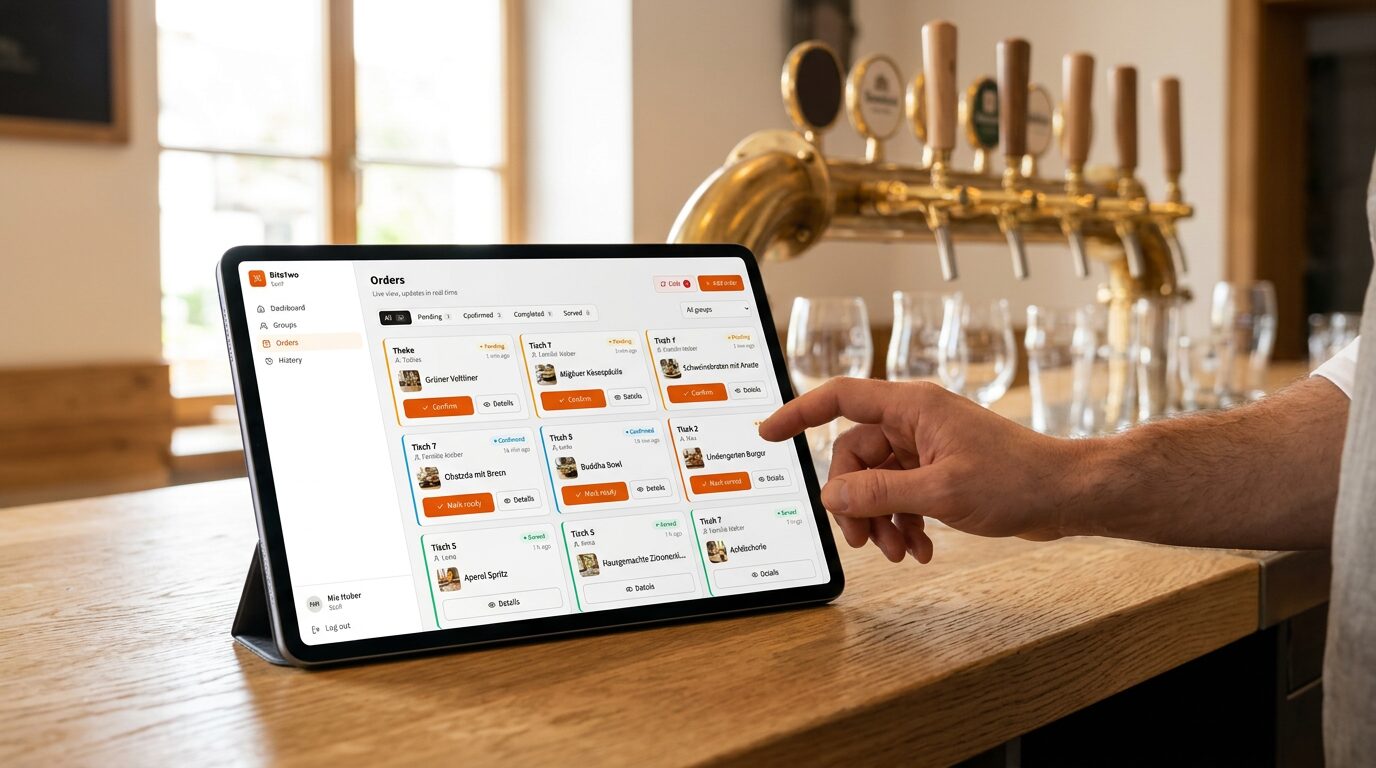
As soon as a guest has ordered, the order appears on the waiter's tablet or phone, without anyone having to collect it or type it in. From there, one tap moves it along, from "Received" to "In the kitchen" to "Ready" and "Served". Everyone on the team sees the same state, and the list updates by itself. On tablets the screen stays awake, so nobody has to unlock it first in the middle of a rush.
Orders arrive live on the team's tablet or phone.
Not every order should ring everywhere. That is why there is a filter bar that combines statuses, categories and groups, such as "Bar" or "My tables". The alert sound follows the active filter, so the bar tablet only rings when there really is something for the bar. Because the filter belongs to the person's account, it travels with them to every device they sign in on. On a kitchen tablet you can also hide navigation pages that nobody needs there.
Orders are sorted by groups, not by tables. A group can be a table, but just as well the bar, a room, an event or takeaway. For each group, staff see the guests, their orders and the status. They can add a new guest, show the QR code again, move a guest to another table or end the visit when the guests leave. Waiter calls and bill requests announce themselves with an alert sound and are done with one tap.
The system also works entirely without guests on their phones. Whoever has their hands free takes the order themselves, with variation, extras and note, exactly as it would be created on the guest's phone. That way you can get the team used to the system before the first guests order for themselves.
What you do as the owner
As the owner, you set the system up once and then maintain it alongside your other work. The menu is the biggest part. You create categories with hours, and dishes with variations and extras, prices, pictures, allergen labels from your country's list and the VAT rate per dish. Instead of typing everything in, you can give photos of your paper menu to an AI assistant such as Claude or ChatGPT, using a ready-made prompt. You check the preview and import; the import only adds, and nothing is overwritten or deleted. In the same way you later fill in missing and outdated translations of the menu, which guests then see in their own language.
A few more tasks come with it:
- Draw the floor plan. An editor for floors, tables, walls, plants and areas, where you also create the groups that the service team sees later.
- Invite the team. Staff get an invitation in their language and sign in with a one-time code by email or with a password.
- Public menu. You can publish the menu as a web page with its own address, with a QR code as a PNG for print and as an SVG. The link also works for your Google Business Profile.
- Reporting. Every order of a period can be exported as a CSV, with gross, VAT, net and payment status, for your bookkeeping for example.
One module is deliberately optional and switched off by default. With reservations you see the day on a timeline and on the floor plan and decide whether only staff book, guests book with a code, or anyone books online; the guest confirms by email.
Which businesses is it for?
Because BiteTwo works with groups instead of fixed tables, it is not limited to classic table service. It fits wherever people order something and the team needs a quick overview:
| Business | How you use it |
|---|---|
| Restaurants | Table service with digital and traditional orders side by side. |
| Cafés | Guests order a second coffee without waving for the waiter. |
| Bars and beer gardens | Rounds go straight to the bar, even on a full terrace. |
| Events and festivals | Set up in minutes for a one-off event. |
| Food trucks and takeaway | Guests order from their own phone and the team sees each order the moment it arrives. |
| Hotels | Rooms, terrace and lobby work as groups, just like tables. |
Costs: free, with no commission and no contract
For businesses that are watching every penny right now, this may be the most important point: all features of BiteTwo are free today, and there are no hidden tiers where orders or staff accounts cost extra.
- No monthly fee. No subscription per location and no base fee, however many orders come in.
- No setup fee. You register yourself, add your menu and take the first order a little later.
- No commission. Every order keeps its full margin, because BiteTwo takes no cut of your revenue.
- No lock-in. You can stop anytime, with no notice period.
- No hardware. Your team uses the phones, tablets or computers that are already there.
What BiteTwo deliberately is not
An ordering system should name its limits openly, so you know beforehand what to expect.
- Not a cash register. BiteTwo is not a POS system and does not issue fiscal receipts (TSE). It works alongside your register, which stays as it is.
- No receipt printer. Orders appear on the team's screens. There is no kitchen printer integration.
- A guest code is not access control. The personal code limits misuse, such as prank orders from outside, but it does not rule it out completely, because it is not tied to the location. So end the visit when the guests leave.
Start in 4 steps
You do not have to switch over from one day to the next. A sensible way in looks like this:
- Add your menu (about 10 minutes), by typing it in or with an AI assistant from photos of your paper menu.
- Invite the team. Each person gets an invitation in their language and signs in with a one-time code or a password.
- Work with the team only at first. For one shift, staff take every order themselves in the system, and everyone gets to know the flow.
- Bring in the guests. Begin with one area or one evening where guests may order by QR code, and widen it once it has proven itself.
Frequently asked questions
What is an ordering system for restaurants?
An ordering system takes orders and gets them to the right place: kitchen, bar and service. BiteTwo does this by connecting guests with the team through a QR code and showing everyone the same state.
Do my guests need an app?
No. Guests scan the QR code or type an 8-character code, and the menu opens in their browser. Giving a name is optional. Anyone who does not want to order by phone still orders from the waiter.
Does BiteTwo replace my cash register?
No. BiteTwo is not a POS system and does not issue fiscal receipts (TSE). It works alongside your register, and guests pay as usual in cash or with your card terminal.
Where is my data stored?
On servers in Germany. BiteTwo is operated by MSL-Digital KG in Zwiesel, Germany, and is GDPR-compliant. Guests do not need to give personal data to order.
Conclusion
An ordering system for restaurants should make the evening calmer, not bring new costs and new devices. BiteTwo costs nothing, runs alongside your register and can be tested on a single evening without any guest having to scan. Whether it fits your business, you will see after the first try.
Start for free or book a demo if you would like to see it first.