How to Stop Prank Orders From a QR Code on the Table
A fixed QR code on the table lets anyone order from anywhere. Here is why that happens, what a personal guest code changes, where its limits are, and the routine that keeps fake orders out of your kitchen.
 BiteTwo TeamOctober 31, 20266 min read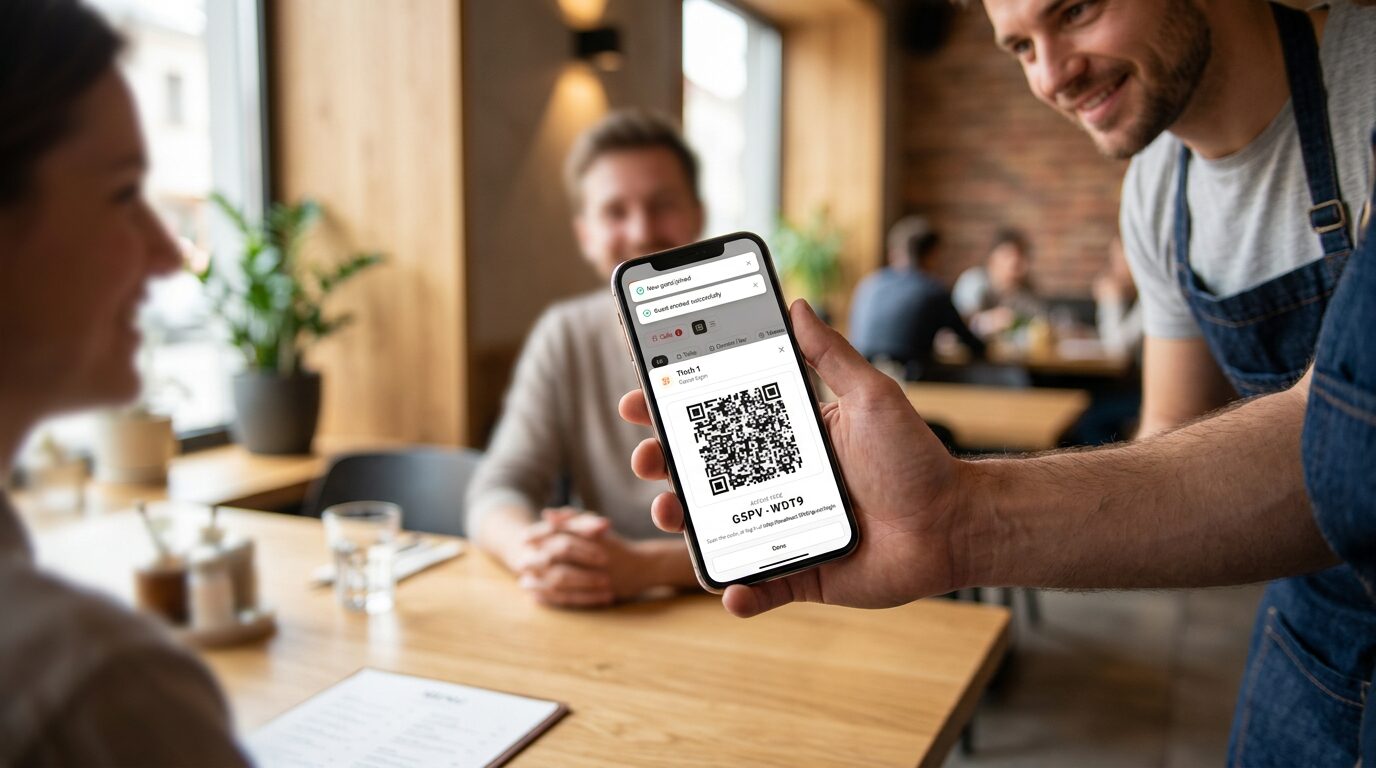
Most owners who think about QR code ordering sooner or later ask the same worried question: what stops someone from ordering as a joke, or from home? It is a fair question, and it has a clear answer. How safe a QR system is depends mostly on one design choice: what the code on the guest's phone stands for.
The short answer
- A fixed QR code stuck on a table can be misused by anyone, at any time, from anywhere, because a photo of it works just as well as the table.
- A personal guest code is different. The waiter creates it when the guest sits down, it belongs to one guest, and it stops working after the visit.
- Add a simple routine. Show the code on the waiter's phone, and end the visit when guests leave.
Why a fixed table QR code invites prank orders
Many systems print one QR code per table and leave it there. That has three weaknesses:
- It works from anywhere. Anyone can take a picture of the code and use it later, for example from home or from the car park. Nothing links the order to a person who is actually sitting at the table.
- It works forever. The same code is valid at lunch, in the evening and next week, until somebody replaces the sticker.
- Nobody is accountable. If a surprising order arrives, you cannot tell who placed it, and the kitchen may already be cooking it.
Most of the time this stays a theoretical risk. But it only takes one evening of "10 portions of fries to table 7" for a team to stop trusting the screen.
What BiteTwo does differently
BiteTwo has no fixed table code. Instead, every guest gets a personal code:
- The waiter creates it. With one tap the waiter adds the guest to a table, the bar or an event, and BiteTwo shows a QR code and an 8-character code. Nobody can create a guest code without a staff account.
- It is shown, not left behind. The waiter holds out the phone and the guest scans it. There is nothing on the table to photograph.
- It belongs to one guest. Every order is tied to that guest, so you always see who ordered, and each guest has their own bill.
- It expires. A visit is valid for 4 hours after the code is created. After that, the code cannot be used to order.
- You can end it at any time. With "End visit", the guest can no longer order, but still sees their orders. If it was a mistake, you can reopen the visit from History.
- It is easy to type. The 8 characters leave out look-alikes such as the letter O and the digit 0, so a guest who cannot scan can still type the code.
Orders also only arrive from guests whose visit is open and not expired. With a code from yesterday, or from a visit you have ended, a guest can look at their orders but cannot place new ones.
The waiter shows the personal code on their own phone. There is no sticker on the table to photograph.
Where the limits are
A personal code reduces the problem a lot, but it does not remove it. Being honest about that helps you set up your routine:
- A code is not tied to the room. BiteTwo does not check where a phone is. If a guest sends a photo of their code to a friend elsewhere, that friend can order until the visit ends or expires.
- A shared code stays valid for up to 4 hours. That is the reason to end the visit when guests leave.
- At the moment, staff cannot remove an order in the app. You see it live and can stop further orders by ending the visit, but an order that has already arrived is a conversation with the guest or the team.
None of these are specific to BiteTwo. They are the limits of any code that guests carry on their phone. The difference is how big the window is: a personal code that expires after a visit leaves far less room than a sticker that works forever.
A routine that keeps fake orders out
- Create the code when the guest sits down, not in advance.
- Show it on your phone, and do not leave a printout on the table.
- Watch the live order list. Every order shows which guest and which table it came from, so an order that does not fit an open visit stands out.
- End the visit when guests leave. It takes one tap and closes the window.
Also useful: staff can order for the guest
If a guest is unsure, or you do not want a phone on the table, the waiter can enter the order in the same system. It lands in the same live list. So safety does not depend on every guest scanning, and you can use the personal code only for the guests who like to order by phone.
Frequently asked questions
Can someone order with BiteTwo without being at the restaurant?
Not without a code, and a code can only be created by your staff. If a guest hands their code to someone else, that person can order until the visit ends or expires. That is why ending the visit is part of the routine.
Does BiteTwo have a QR code that stays on the table?
No. Every guest gets their own code, which expires. That is the main protection against prank orders.
How long does a guest code work?
4 hours after it was created, or until staff end the visit, whichever comes first. Staff can reopen an ended visit from History the same day.
What if a guest loses their code?
The waiter shows it again from the table's details, as long as the visit is open.
Conclusion
Prank orders are a design problem, not a reason to avoid QR ordering. A code that is personal, handed over by your staff and limited to one visit takes away most of what makes fake orders possible. Add the routine of showing the code on your phone and ending visits when guests leave, and the risk becomes small enough for a normal evening.
Start for free or book a demo to see how a personal code works at the table.